Building genuine connections rather than just managing data

Get started with a CRM solution

Introducing a CRM system – or switching to a CRM solution that suits your business – changes everything.

Suddenly, you can access centrally managed data; you find what you need rather than having to search for it; and your customers, members or clients no longer have to keep repeating their requests from scratch. A real game-changer for your whole team.

You won’t want to miss out on these benefits.

CRM-Software: Ihre Vorteile

Team members

A CRM software solution is more than just a tool for better customer relationships

Not only customer relationships, but also connections with business partners can be managed within CRM software. The 360° view provided by a CRM programme enables comprehensive service, as all information from across your systems – tailored to your needs – delivers the right information at the right time.

In this article on CRM software, we address the following questions:
  • Who benefits from a CRM?

  • From what company size is CRM software worthwhile?

  • What functions and features does a CRM solution offer?

  • What does a CRM have to do with processes?

  • What is the best way for a company to get started with a CRM?

  • Tailored, personalised communication with your contacts in their various roles

258929 removebg preview

CRM

Who benefits from a CRM?

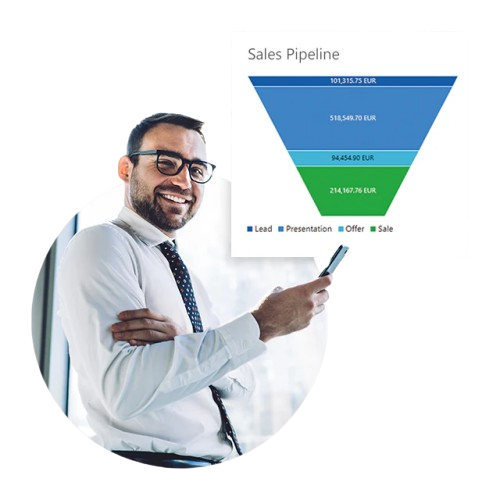
Companies of all sizes can benefit from a CRM, as can virtually all departments. This is because the Customer Relationship Management system brings together data from all other connected systems in a single place. This means ‘finding’ rather than ‘searching’, as the information is compiled precisely according to your needs. You can even automatically create, delegate and monitor tasks, or send bulk emails to all business partners in a specific geographical region. Ultimately, the capabilities of a CRM will save you a great deal of time in any case.

At what company size does CRM software become worthwhile?

CRM is worthwhile even if you’re working as a freelancer on your own. There are specialised solutions designed specifically for the very smallest businesses. A CRM system takes the hassle out of updating Excel files, as the lists are dynamic. Once a new address has been entered, it automatically appears in all existing lists. With a solution like this, you don’t get bogged down with customer data; what’s more, most CRM solutions from Germany comply with data protection regulations. This means that, if required, an extract of all stored data can be provided in no time at all, along with information on how it was used. In addition, all contact interactions are documented, ensuring compliance with the GDPR right from the start.

What functions and features does a CRM solution offer?

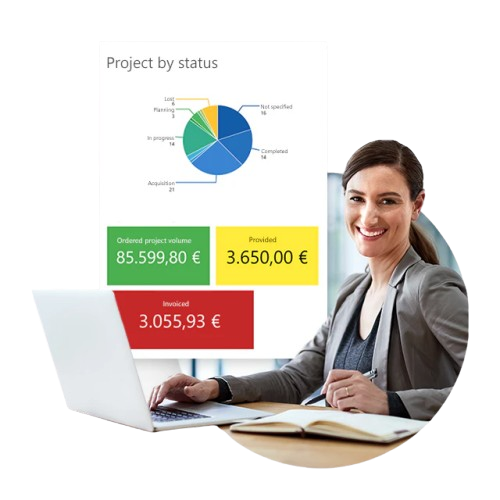
The possibilities offered by CRM software are virtually limitless. The basic functions include managing your business contacts, including an up-to-date and comprehensive contact history, as well as reporting that provides you with data such as your turnover or time spent per business partner at any time.

In addition, a CRM solution enables the following:

  • Time and working hours tracking per project and/or per employee

  • Task management, including delegation and the ability to view current and completed tasks

  • Project management

  • Event management involving various stakeholders

  • Lead scoring for a better overview

  • Various options for analysing data

  • Automation of your processes

  • Centralised storage and management of customer data

  • Tracking of customer interactions and customer history

Did you know that the CRM programme is available both online and offline? This means you can continue working in the CRM even in areas with limited internet access or poor network coverage. As soon as you’re back online, all data records are automatically synchronised.

Generally speaking, it is advisable to choose a system that gives you the option of running your CRM on-premises (i.e. on your own servers) or online (in the cloud). Flexible CRM software like this adapts to your specific workflows. You, or we, can configure your bespoke CRM over time as required to ensure it I

CRM

What does a CRM have to do with processes?

A CRM is designed to save you time by enabling you and your team to work more efficiently. It frees up your time. It does this by ensuring that processes – once they have been clearly defined – can run automatically.

This means that recurring tasks are stored in the system and can always be carried out in the same way. Do you have an onboarding process for new team members? A CRM could map this out as follows: a new contact is created in the system. The contact type is ‘team member’.

One or more tasks are automatically assigned to the relevant person; these include a schedule and a checklist of necessary actions, such as setting up a workstation, ordering hardware and software, booking training sessions, and sending out an employee questionnaire (e.g. health insurance details).
258668 removebg preview

What is the best way for a company to get started with CRM software?

Firstly, it is important that managers, in particular, have a positive attitude towards CRM. Then, every member of the team – or a representative from the team – should have the opportunity to present their work processes and thus contribute to the project’s success. This is the only way to optimise processes in advance and avoid redundant steps. It is important to start with just a few, but very practical, CRM functions, and to introduce more features gradually. In doing so, it is essential to continually address any questions that arise and to assess – and, where necessary, implement – new requirements as they emerge. This ensures the software is used more and more effectively over time. It is impossible to start at 100 per cent, as usage continues to evolve as the system is put into practice. If you use modular CRM software, you can purchase additional features later on, such as a route planner or other project tools. The motto is: start small, think big.

Get in touch with us if you’d like to find out more, or read on right here.

You can find further information on CRM software here: Wikipedia on CRM.