

AGB GID GmbH – Unsere Allgemeinen Geschäftsbedingungen

This information should be included in every support ticket.
Please ensure that your ticket contains the following information
- The fastest way to get support
- This information should be included in every support ticket.
- End device
- Operating system, including version
- Browser or app, including version
- Affected application
- Screenshots create correctly
- Typical examples
- Create a ticket with the help of ChatGPT
- Here’s how to easily take a screenshot
AGB GID GmbH – Unsere Allgemeinen Geschäftsbedingungen
Screenshots create correctly
Meaningful screenshots save time and prevent misunderstandings.
- The fastest way to get support
- This information should be included in every support ticket.
- End device
- Operating system, including version
- Browser or app, including version
- Affected application
- Screenshots create correctly
- Typical examples
- Create a ticket with the help of ChatGPT
- Here’s how to easily take a screenshot
AGB GID GmbH – Unsere Allgemeinen Geschäftsbedingungen
Typical examples
- The fastest way to get support
- This information should be included in every support ticket.
- End device
- Operating system, including version
- Browser or app, including version
- Affected application
- Screenshots create correctly
- Typical examples
- Create a ticket with the help of ChatGPT
- Here’s how to easily take a screenshot
AGB GID GmbH – Unsere Allgemeinen Geschäftsbedingungen
Create a ticket with the help of ChatGPT
You are welcome to structure your ticket in advance with the help of ChatGPT. This ensures completeness and clarity.
Prompt template to copy
Kopieren
Please briefly review the text before submitting and add any missing details.
- The fastest way to get support
- This information should be included in every support ticket.
- End device
- Operating system, including version
- Browser or app, including version
- Affected application
- Screenshots create correctly
- Typical examples
- Create a ticket with the help of ChatGPT
- Here’s how to easily take a screenshot
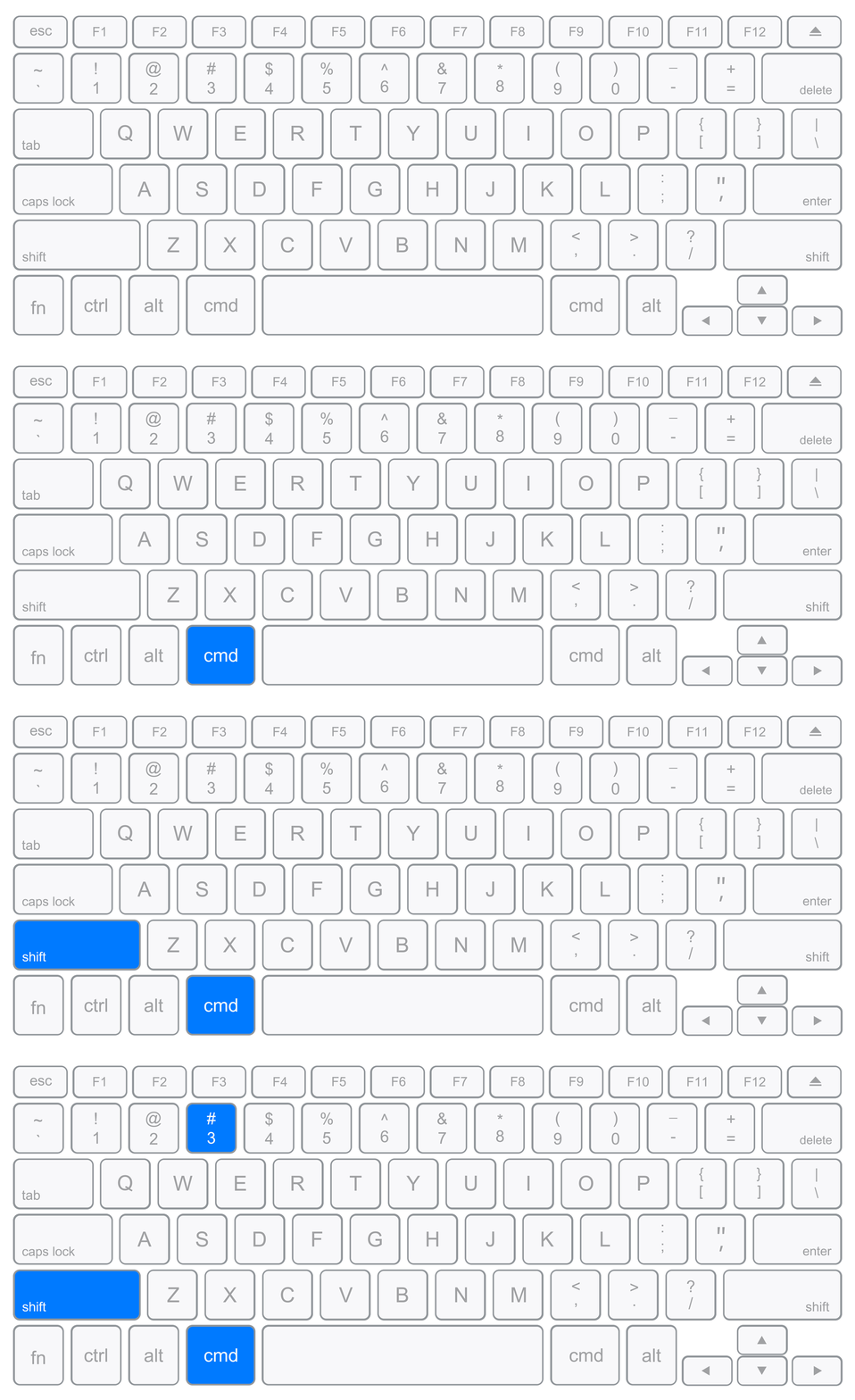
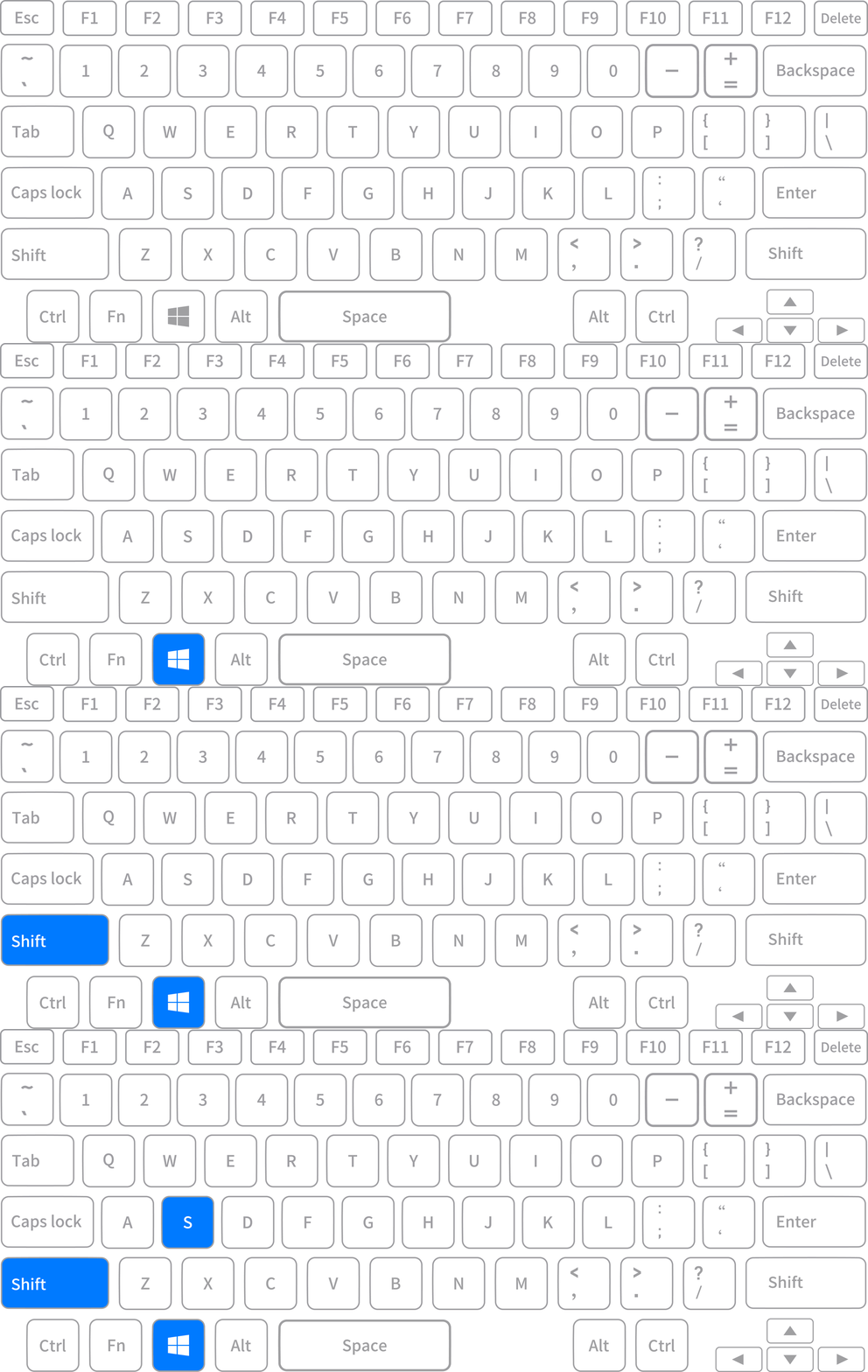
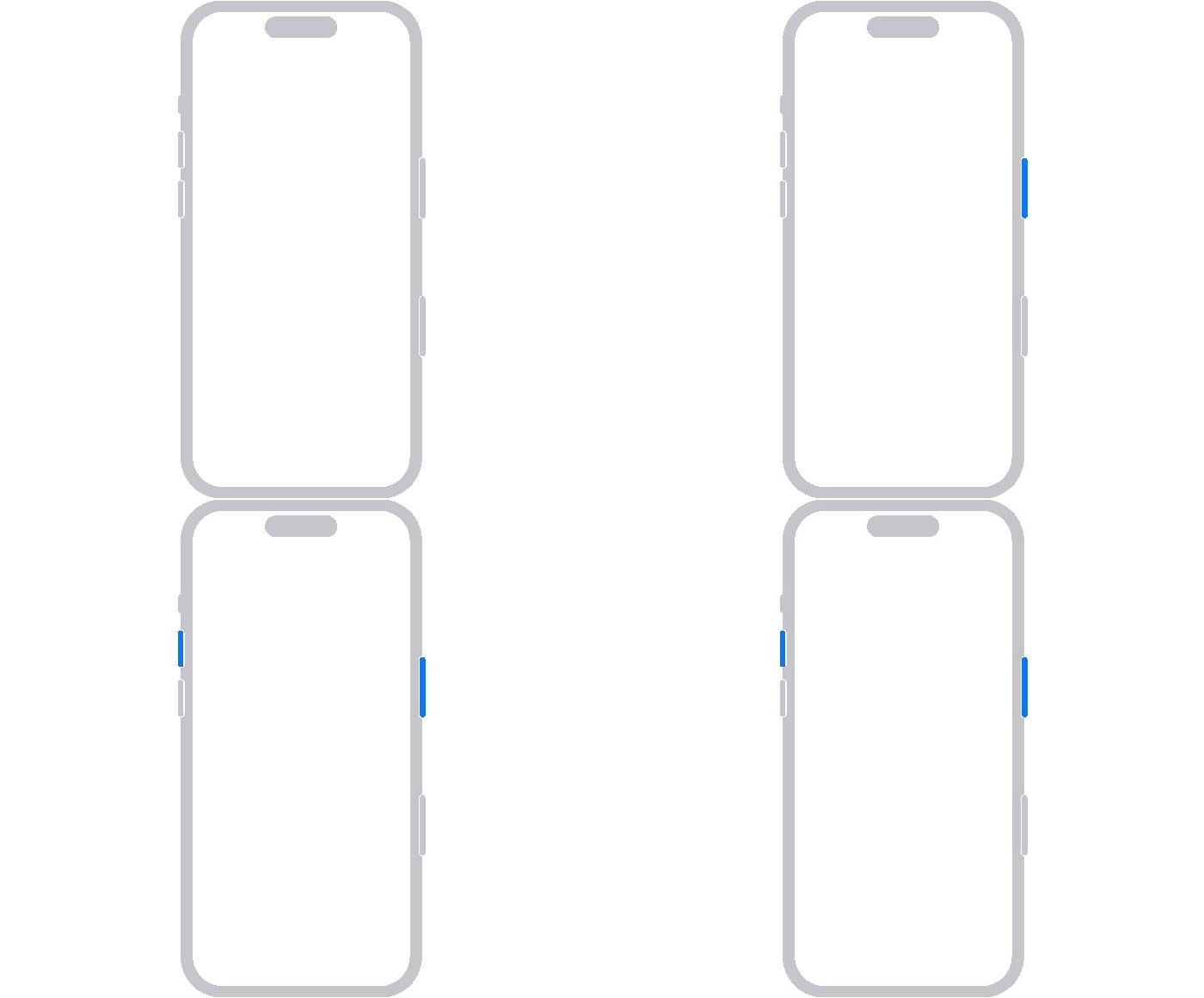
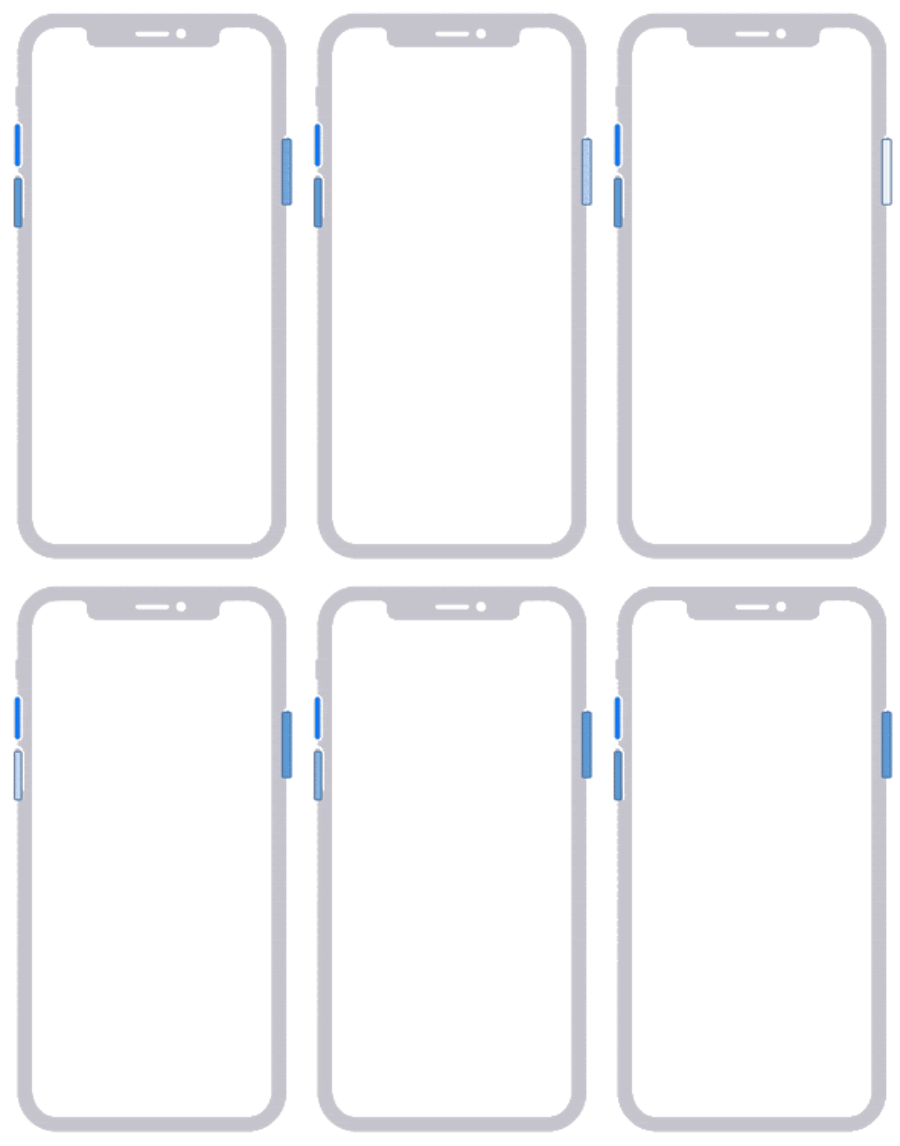
Here’s how to easily take a screenshot
Don’t worry – taking a screenshot is quick and easy.
Depending on your device, simply press a few keys at the same time.