

To-do list directly within the CAS genesisWorld CRM and the and the SmartWe CRM

Do you use a pen and paper to jot down small sub-tasks? Or a separate app? There’s a better way: with our to-do list widget for the CAS genesisWorld CRM. The widget is also available in a version for the SmartWe CRM.

This super-easy-to-use widget organises the little things that don’t require a separate task to be created. For an event, for example: ‘Book a room’, ‘Book catering’, ‘Get decorations’, ‘Change seating arrangements’ and ‘Reserve a hotel block’.

Individual to-dos can be easily entered into the designated lines, moved up or down using drag and drop, and as you tick off each one, the progress doughnut shows how much of the task has been completed. This makes working through your to-do list even more fun!

“ Add the finishing touches to your organisation and achieve your goals even more effectively with this to-do list widget.

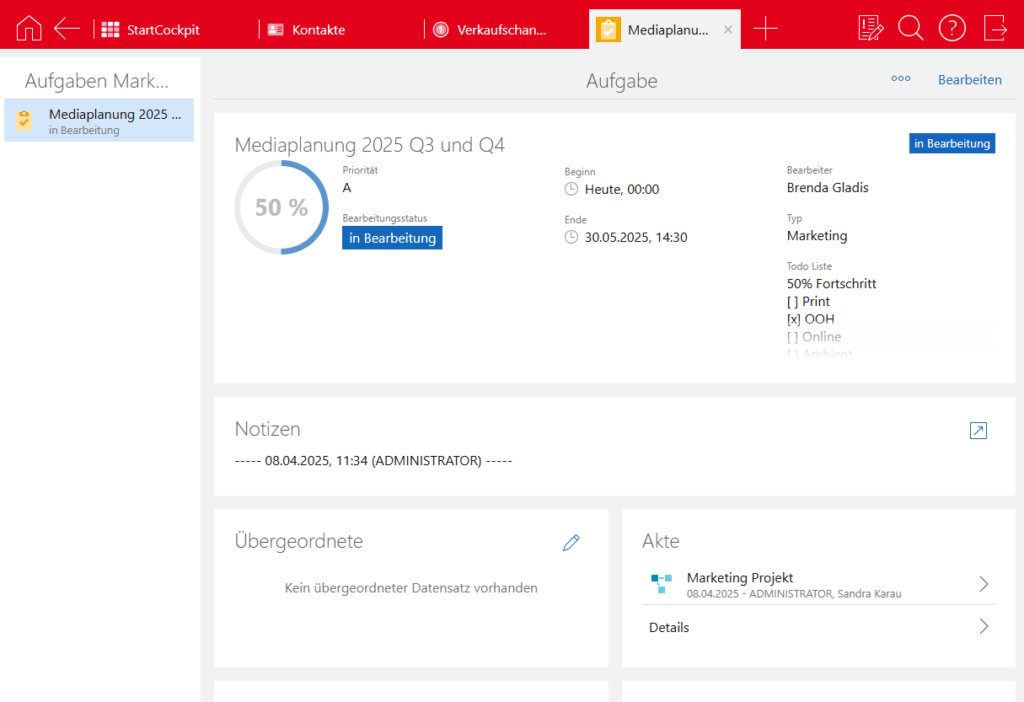
View of the task and the progress doughnut, which updates as to-dos are ticked off.
ToDo-Liste in einer Aufgabe

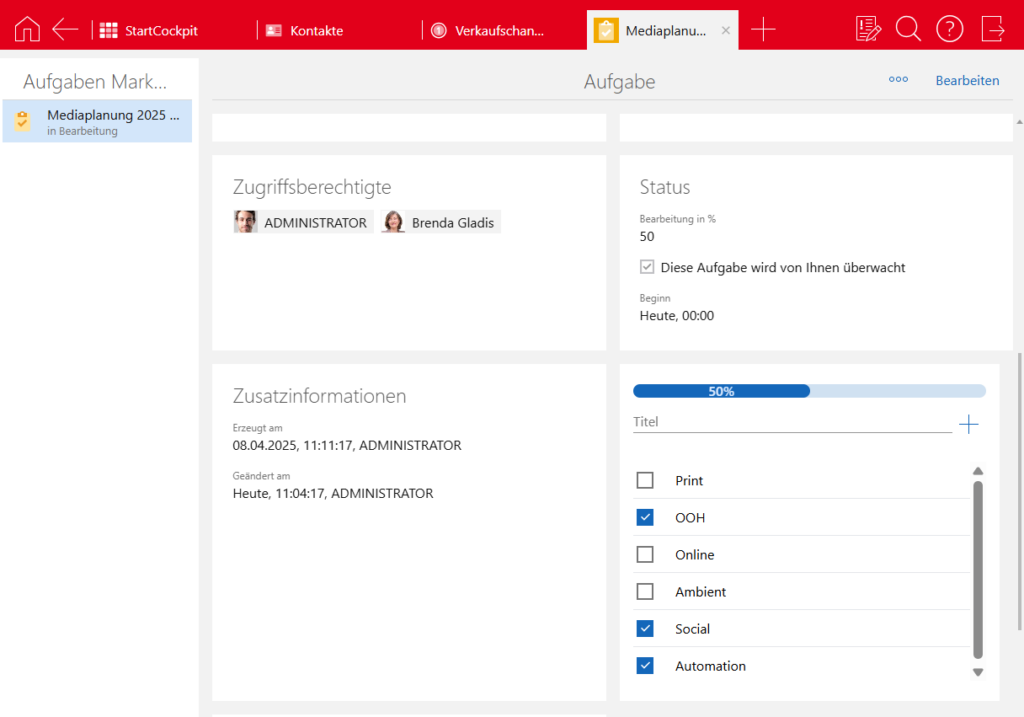
View of the to-do list in the ‘Task’ record type. The progress bar changes as each to-do is ticked off.
ToDo-Liste ToDos in einer Aufgabe

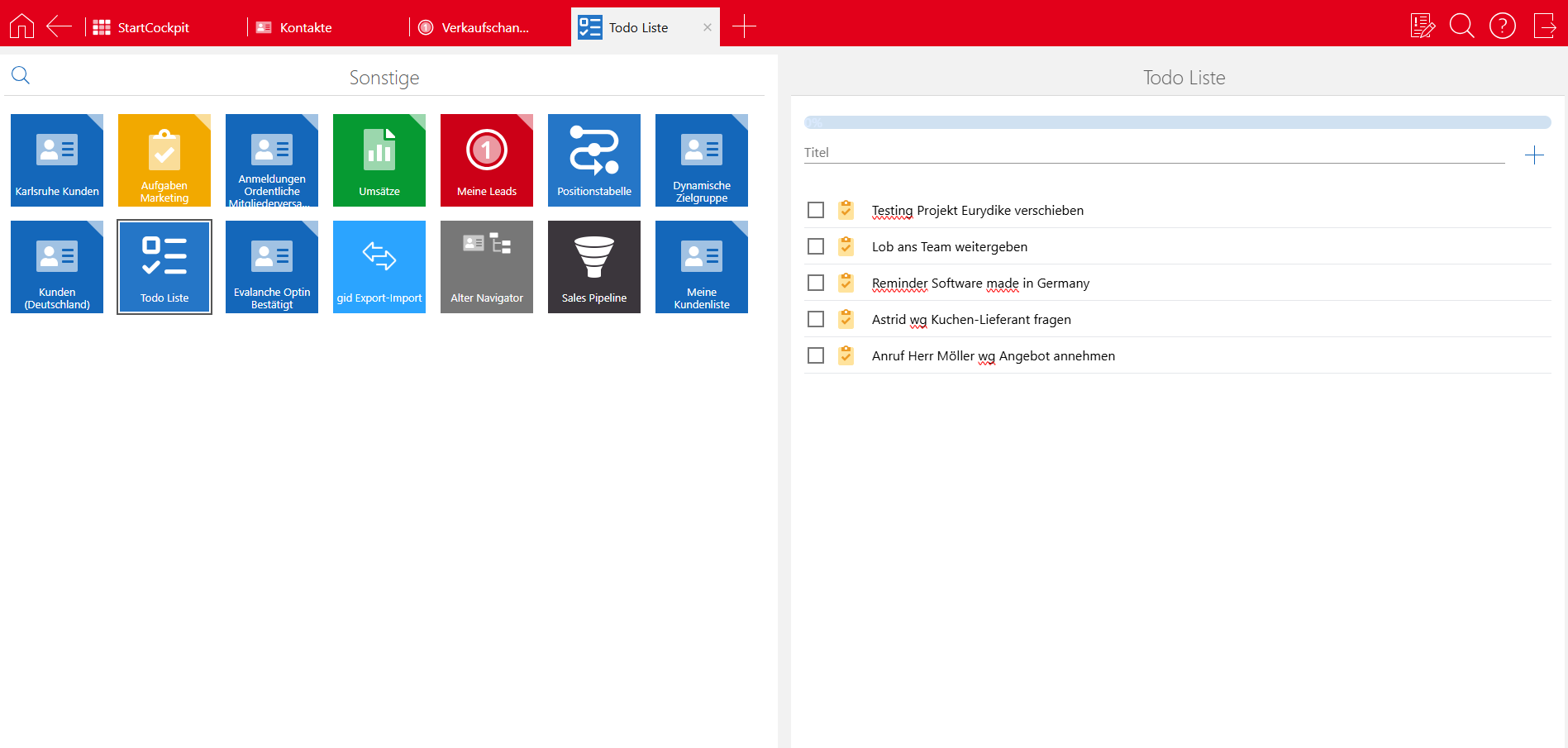
The best bit: here you can list and tick off your own current to-dos. This saves you from needing a separate to-do app, and you have your small tasks right where you work – in the CRM.
ToDo Checkliste groß

To-do list in SmartWe – installation is this simple

  • Download the to-do list widget from the SmartWe Store: https://appstore.smartwe.world/home
  • The app is then already installed and everyone can manage their daily to-dos.
  • The widget for record types such as ‘Task’ requires a little more attention:

– Open App Designer
– Select a record type
– Open any record, e.g. any task
– Add the To-Do widget and select a long text field.
– Important: Click ‘Publish’ (top right)!
– Done
For the doughnut progress indicator, also select the desired record type in the App Designer and choose the progress indicator there. Here, enter the following as the ‘Source’/script: return $do.GID_TODO_PERCENT.tryGet(0); Important: Remember to click the ‘Publish’ button here too.
If you have any further questions, please feel free to contact us.


Start with ease

Seize the opportunity &
make your business fit for the future.

Die Gelegenheit ergreifen &
Ihr Geschäft zukunftsfähig aufstellen.

Experience the simplicity of automation, the power of our technologies, and the impact of seamless integrations. Your journey begins now!