
Create real connections instead of just managing

Get off to a flying start with a CRM solution

Introducing a CRM—or switching to a CRM solution that truly fits your company—changes everything.

Suddenly, you can access centrally maintained data, you find information instead of searching for it, and your customers, members, or clients no longer have to repeat their concerns from the beginning every time. A real game changer for your entire team.

You won’t want to miss out on these benefits.

CRM-Software: Ihre Vorteile

Team members

A CRM software solution is more than just a tool for better customer relationships

Not only customer relationships, but also connections with business partners can be managed within a CRM software solution. The 360° view in a CRM system enables comprehensive service, as all information from your various systems prepared according to your needs provides the right information at the right time.

In this article on CRM software, we address the following questions:

  • Who benefits from a CRM?

  • At what company size does CRM software become worthwhile?

  • What functions and features does a CRM solution offer?

  • What does a CRM have to do with processes?

  • What is the best way for a company to get started with a CRM?

  • Personalized, tailored communication with your contacts across different roles

258929 removebg preview

CRM

Who benefits from a CRM?

Companies of all sizes can benefit from a CRM, as can virtually every department. In a Customer Relationship Management system, data from all connected systems is consolidated in one central place. This means finding instead of searching, as information is compiled precisely according to your needs. You can even have tasks created automatically, delegate and monitor them, or send bulk emails to all business partners within a specific geographic region. Ultimately, the possibilities within a CRM will save you a significant amount of time in any case.

At what company size does it make sense to use CRM software?

A CRM is worthwhile even if you work alone as a freelancer. There are dedicated solutions specifically tailored to very small businesses. A CRM eliminates the tedious task of updating Excel files, as lists are dynamic once a new address is entered, it automatically appears in all existing lists. With such a solution, you won’t lose track of your customer data. In addition, most CRM solutions from Germany are compliant with data protection regulations. If needed, you can quickly generate an extract of all stored data, including information on how it has been used. Furthermore, documented consent for contact ensures that GDPR requirements are met from the very beginning.

What functions and features does a CRM solution offer?

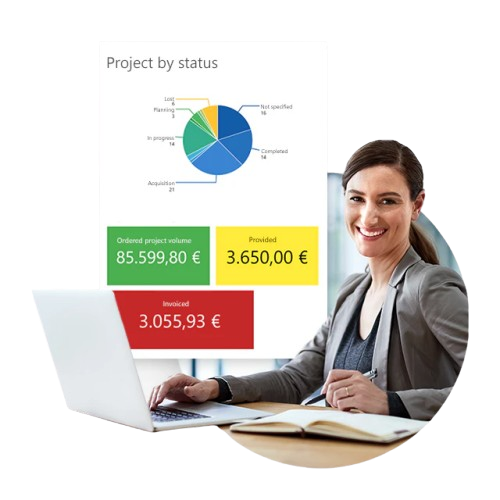
The possibilities offered by CRM software are almost limitless. The core functions include managing your business contacts, complete with an up-to-date and comprehensive contact history, as well as reporting features that provide you with key data at any time—such as revenue or time spent per business partner.

In addition, a CRM solution enables the following:

  • Time tracking and working time recording per project and/or per employee

  • Task management, including delegation and views of current and completed tasks

  • Project management

  • Event management with various participants

  • Lead scoring for a better overview

  • Various options for analyzing data

  • Automation of your processes

  • Centralized storage and management of customer data

  • Tracking of customer interactions and customer history

Did you know that the CRM system is available both online and offline? This allows you to continue working in your CRM even in areas with limited internet access or poor network coverage. As soon as you are back online, all records are automatically synchronized.

In general, it is advisable to choose a system that gives you the option of running your CRM on-premises (on your own servers) or online (in the cloud). Such a flexible CRM solution adapts to your individual processes. Either you or we can configure your customized CRM over time to align with your company’s development—ensuring you always stay up to date.

CRM

What does a CRM have to do with processes?

A CRM is designed to save you time by enabling you and your team to work more efficiently. It creates time for you by allowing clearly defined processes to run automatically once they are set up.

This means recurring tasks are stored in the system and can follow the same structured workflow every time. Do you have an onboarding process for new team members? A CRM could map it like this: a new contact is created in the system with the contact type “team member.”

One or more tasks are automatically triggered for the responsible person, including a schedule and a checklist of required actions—such as setting up the workspace, ordering hardware and software, booking training sessions, and sending out the employee questionnaire (e.g., health insurance details, etc.).
258668 removebg preview

How can a company best get started with CRM software?

First and foremost, it is important that leadership has a positive attitude toward the CRM. Then, every team member or at least one representative per team should have the opportunity to present their workflows and contribute to the implementation. Only in this way can processes be optimized in advance and redundant steps avoided.

It is advisable to start with a few highly practical CRM functions and gradually introduce additional features. Along the way, questions will need to be answered, and newly emerging requirements should be evaluated and, if necessary, implemented. This ensures the software is used more effectively over time. Starting at 100% is impossible, as usage naturally evolves during day-to-day operations. If you use a modular CRM solution, you can later add further features such as a route planner or additional project tools. The guiding principle is: start small, grow big.

Get in touch with us if you would like to learn more, or continue reading here.

You can find more information about CRM software here: Wikipedia on CRM.